Time tracking for teams
Time tracking that simply works
Clock in on the web, on a tablet terminal or in the mobile app. Timy keeps working hours, breaks, overtime and leave in one place, integrated with Microsoft 365.
- 14 days free
- No credit card
- Hosted in the EU
Features
Everything your team needs
From clocking in to payroll: one tool for working time, projects and absences.
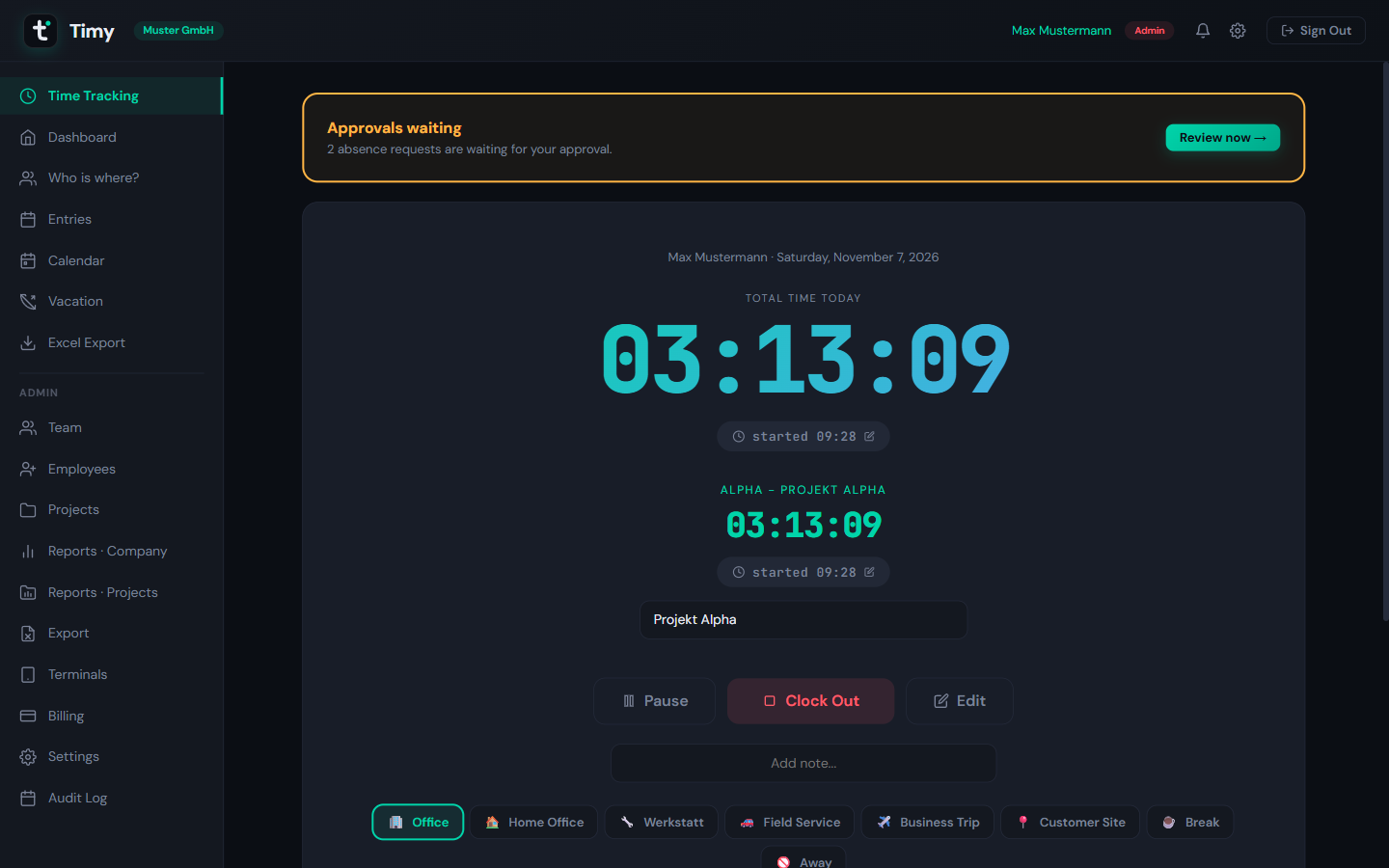
Time tracking
Clock in with one tap or enter hours manually. A watchdog spots forgotten clock-outs and reminds you in time.
Terminal & mobile app
A tablet kiosk for clocking in on site, with PIN and QR pairing, plus an Android app for on the go.
Leave management
Leave requests, approvals, sick days and remaining leave in one place, with the public holidays for each location.
Projects
Assign hours to projects, keep favorites at hand and see in reports where the time goes.
Reports & export
Timesheets and project reports, exported to Excel in one click for payroll and controlling.
Dashboard & overtime
Your dashboard shows hours worked, target against actual and your overtime balance at a glance.
Product tour
See Timy in action
Real screens from the app, shown with demo data.
01
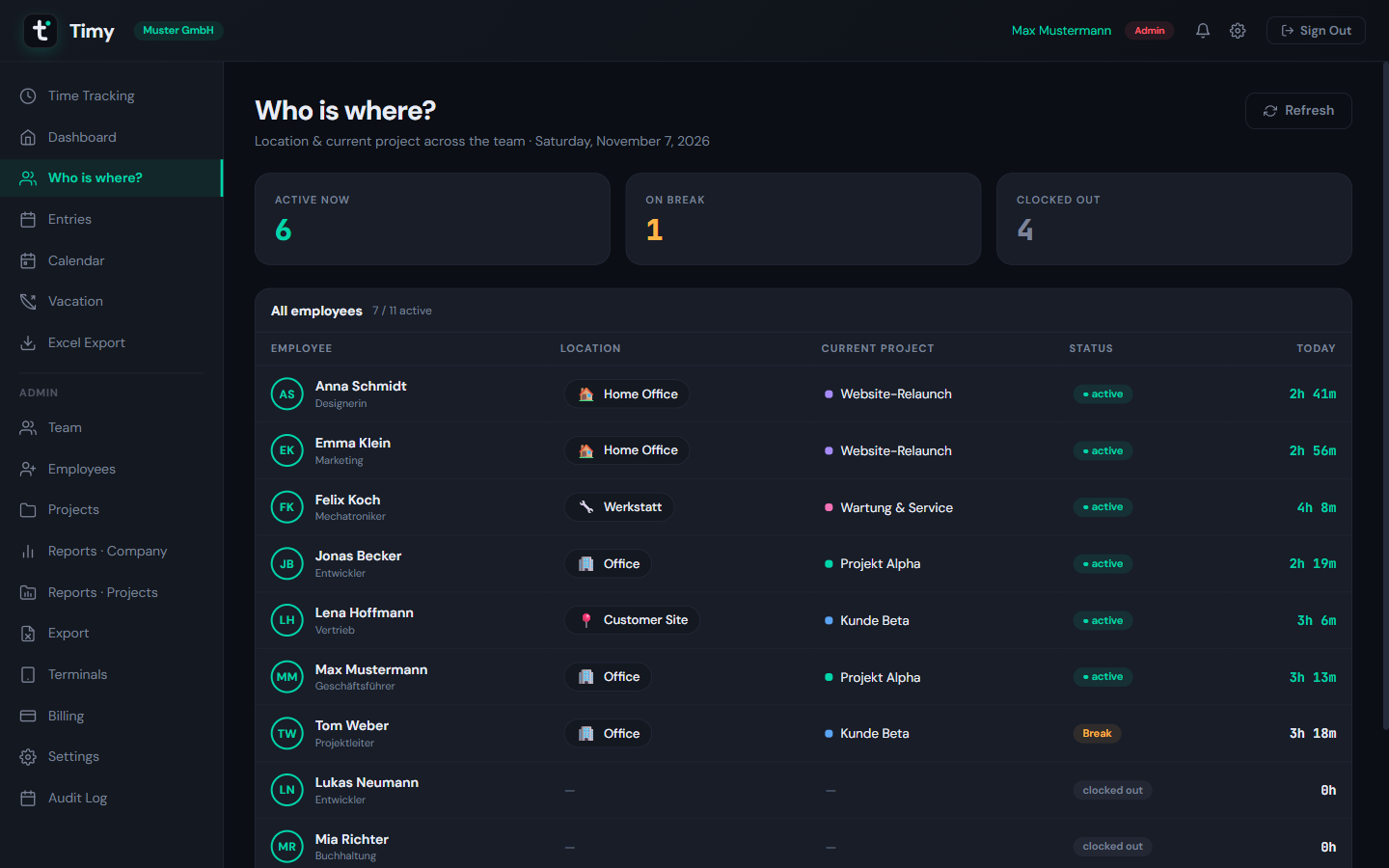
Who is where?
See at a glance who is in, on a break, working from home or at a customer, and which project they are on. Managers also see who is on leave or off sick.
02
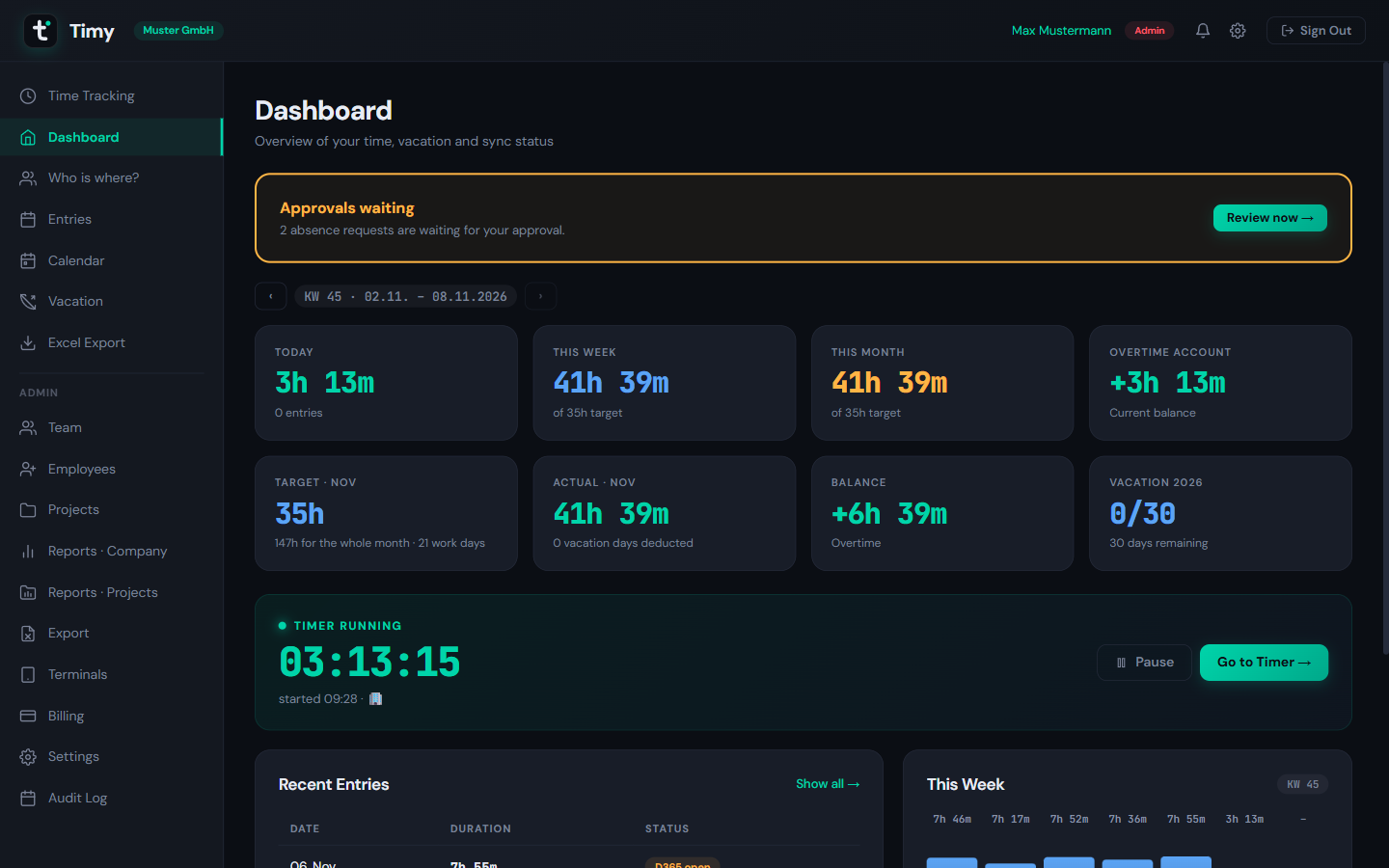
Hours and overtime at a glance
Today, this week and this month against the target, the overtime account, remaining leave and the running timer, on one screen.
03
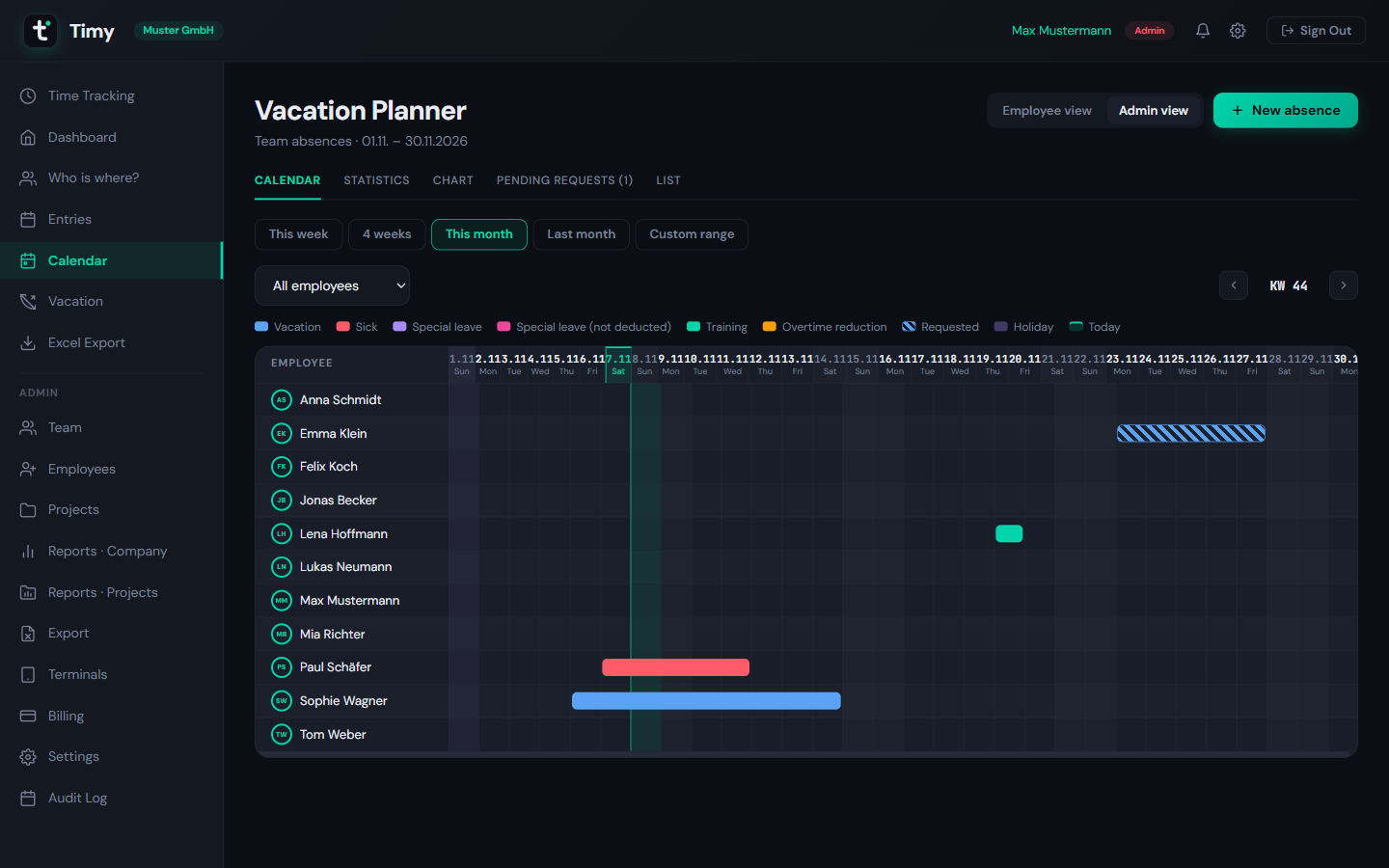
A vacation planner for the whole team
Leave, sick days, training and open requests in one calendar, so cover is planned before anyone books.
04
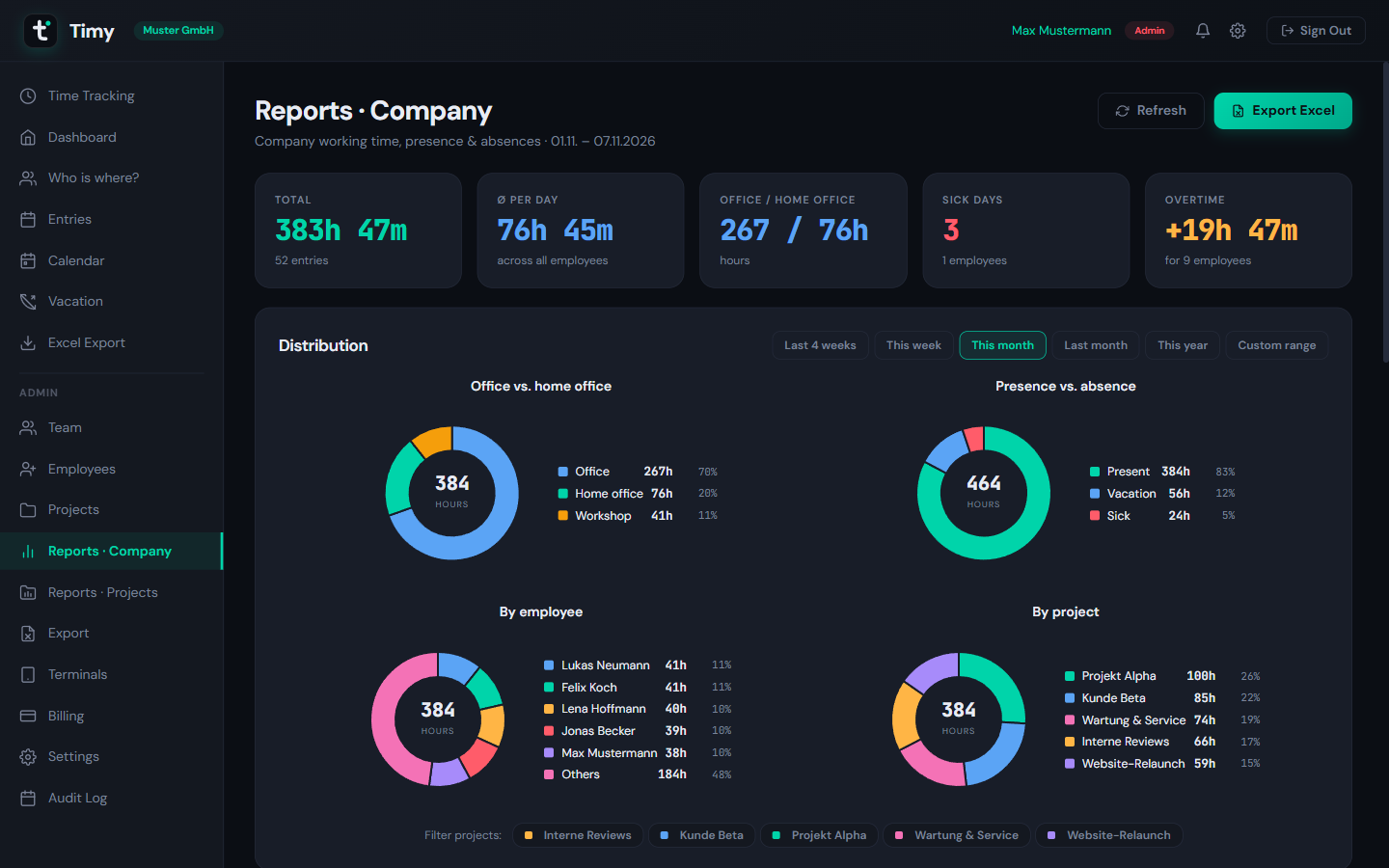
Reports that answer real questions
Office or home office, presence or absence, hours by employee and by project, exported to Excel in one click.
05
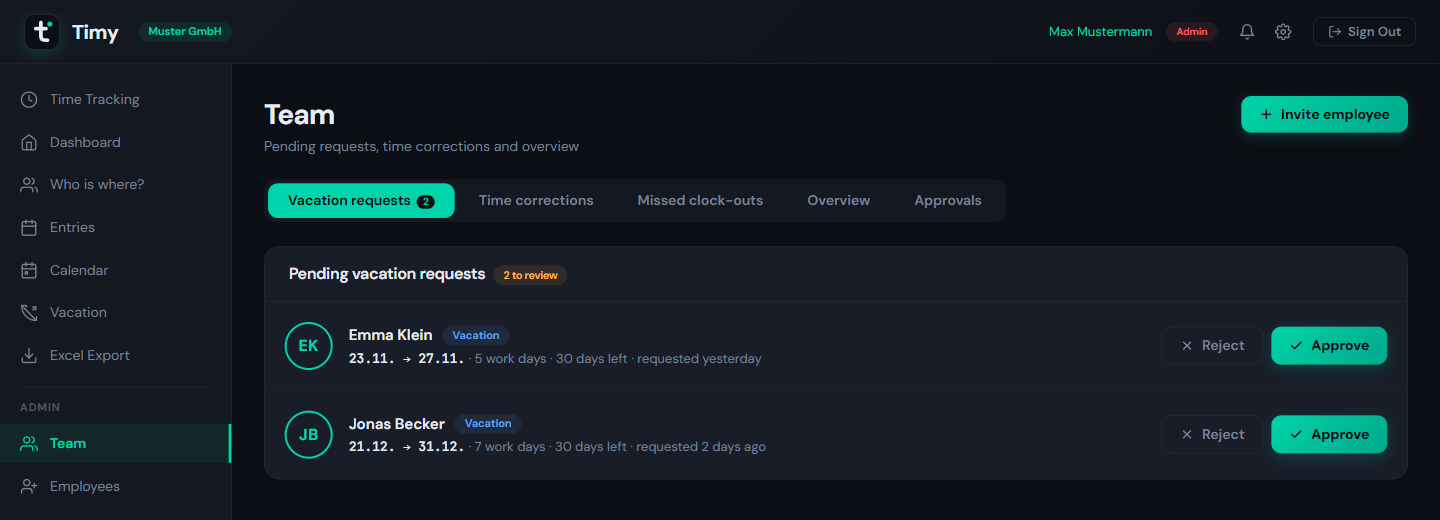
Approvals in one place
Leave requests, time corrections and missed clock-outs land on the Team page, ready to approve or reject.
06
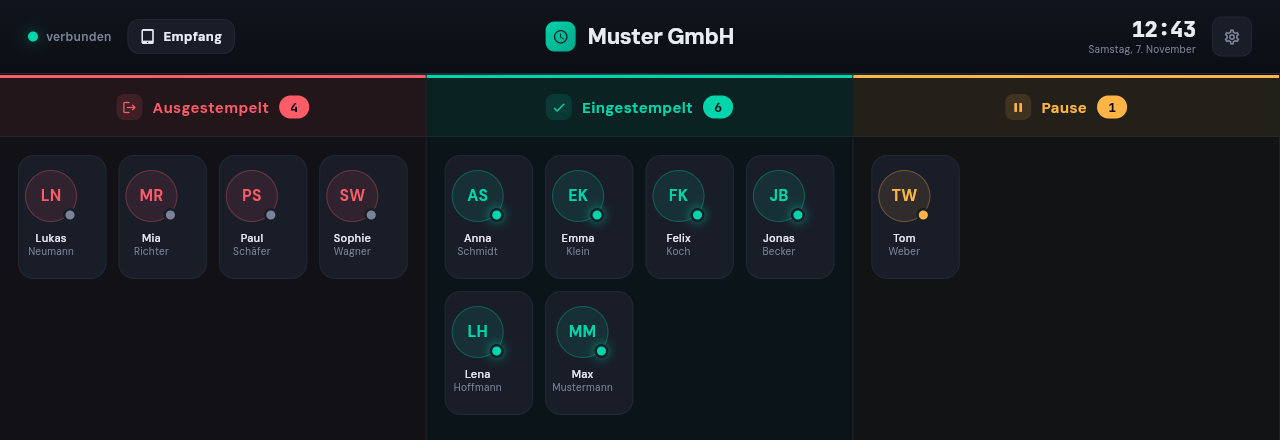
A clock-in terminal on any tablet
Pair a tablet with a QR code and put it at the entrance. Employees tap their name, enter a PIN if you want one, and they are clocked in.
How it works
Up and running in three steps
No installation, no special hardware.
Create your company
Sign up in a minute, then invite your team by email or connect Microsoft 365 for single sign-on.
Track time
Employees clock in on the web, on a tablet terminal or in the app, with project and work location.
Approve and analyze
Approve leave and corrections, then use dashboards, reports and Excel exports for payroll.
Integrations
Fits into your Microsoft world
Timy connects to the tools your company already uses.

Microsoft Entra ID
Single sign-on with your Microsoft accounts, and employees synchronized from your directory.

Microsoft Dynamics 365
Projects from Dynamics 365, and time bookings written back to your ERP.

Microsoft Teams
Your working status shows in Teams automatically when you clock in, pause or clock out.

Excel export
Timesheets and reports as Excel files in one click, ready for payroll.
Pricing
Transparent pricing
Pay only for the modules your team uses, per user and month.
Try every module free for 14 days. No credit card required.
Start free trialTime tracking
Clock in on the web, on a tablet terminal or in the mobile app.
- Timer with breaks, work location and manual entries
- Reminders for forgotten clock-outs
- Dashboard with overtime account
- Tablet terminal with PIN and QR pairing
- Mobile app for Android
- Corrections with manager approval
- Excel timesheets and exports
Projects
See which projects your hours go into.
- Project picker on the web, terminal and app
- Favorites for frequent projects
- Project reports
- Projects from Dynamics 365 (optional)
Leave & absences
Requests, approvals and the team calendar in one place.
- Leave requests with approval
- Sick days and other absences
- Remaining leave with carry-over
- Public holidays for each location
- Team calendar
Combine the modules you need, and add or cancel them at any time in the app.
Ready to try Timy?
Set up your company in minutes and test every module free for 14 days.